Built for Indian businesses
HR, attendance and payroll that work as one.
Shubh HRM keeps people records, attendance, leave and payroll in one system. A punch, a leave request or an expense claim is entered once, approved from a phone, and reaches the right payslip.
- No card needed to start
- Web and Android app
- GST-ready invoices
Today’s attendance
General shift–:––
Not punched in
Bengaluru HQ
- AttendanceWaiting for today’s punch
- Team viewShows you as not in yet
- PayrollToday isn’t counted yet
Try it. This is a demo with sample data, and nothing is saved.
Stop typing the same thing twice
If your attendance, leave and salary details live in three different places, this is what changes with Shubh HRM.
Today: Attendance sits in a register or a device export, and someone re-types it into the salary sheet.
With Shubh HRM: Punches from phones, kiosks and biometric devices become the daily record, and payroll reads it directly.
Today: Leave is asked for on chat and approved from memory. Balances are anyone’s guess.
With Shubh HRM: Requests follow your approval chain, balances update themselves, and approved leave shows up in attendance.
Today: Payroll is a spreadsheet of formulas that only one person understands.
With Shubh HRM: Salary structures and statutory rules are set up once. Every run is calculated, reviewed and locked.
Today: People message HR for payslips, letters and leave balances, one question at a time.
With Shubh HRM: Everyone has self-service on the web and in the app, and an HR helpdesk for the rest.
See how a working day runs
The four parts of Shubh HRM your team will use every day.
Every punch becomes a day you can pay on
- Punch from the web, the Android app, a kiosk QR code or a biometric device.
- Set a geofence around each location, then flag or block punches made outside it.
- Late marks, half days, overtime and missing punches are worked out from each person’s shift.
- People ask for corrections and managers approve them. The original punches are never changed.
October
General shift, 9:30 to 6:30
- Mon 59:28 – 6:41Present
- Tue 69:47 – 6:35Late by 17 min
- Wed 7Casual leaveOn leave
- Thu 89:25 – 7:55Overtime 1 h 15 min
- Fri 99:30 – 1:32Half day
- Sat 102nd SaturdayWeekly off
- App
- Geofence
- Kiosk QR
- Biometric
One record, from the first interview to the final settlement
Each stage hands over to the next. An accepted offer becomes the employee record, and a resignation ends in a settlement that payroll pays.
Hire
Openings, a candidate pipeline, interview panels and offers.
Onboard
Checklists for HR, the manager and the new joiner. Documents collected and verified.
Work
Attendance, shifts and rosters, leave, expense claims, assets and the HR helpdesk.
Pay
Payroll runs, payslips, statutory files and reimbursements.
Grow
Goals, check-ins, feedback and review cycles.
Exit
Resignation, clearance, asset return and the full and final settlement.
Reports, letters, announcements and automation rules run across every stage. See every feature
Useful to everyone at work, not only HR
Business owners
See headcount, attrition, attendance and payroll cost in one set of reports, and decide exactly who can see salaries and ID details.
HR teams
Keep one record per employee, from job history to documents. Set rules that send reminders and start checklists for you.
Managers
Decide your team's requests from one inbox. See who is in today and who is out this week.
Employees
Punch in, apply for leave, claim expenses and open payslips from a phone. Ask HR a question and follow the reply.
Everyday HR, in your team’s pocket
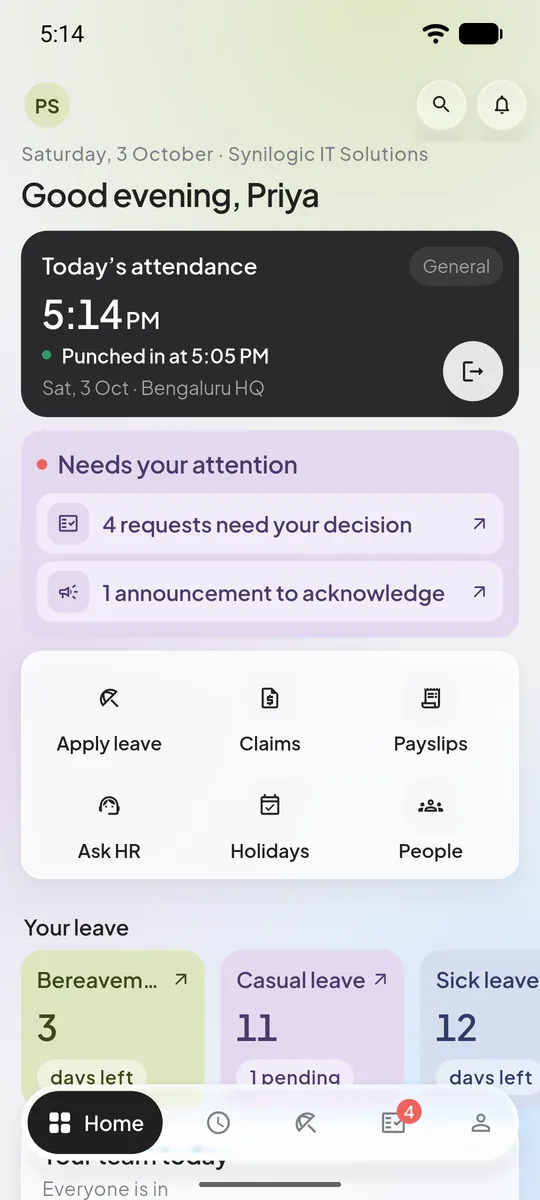
The Shubh HRM app for Android covers an employee’s and a manager’s whole day. These are its real screens.
- Punch in and out, with location when your company asks for it.
- Apply for leave, claim expenses with a photo of the receipt, and open payslips.
- Managers approve their team’s requests wherever they are.
- Optional reminders to punch when someone arrives at or leaves work.
Coming soon to Google Play
Home 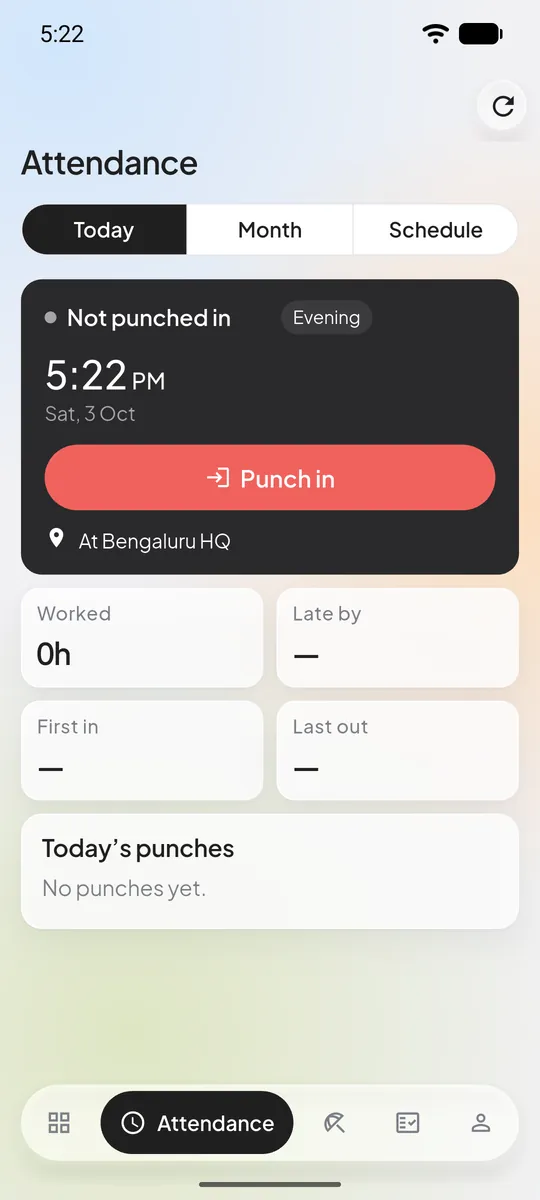
Punch in 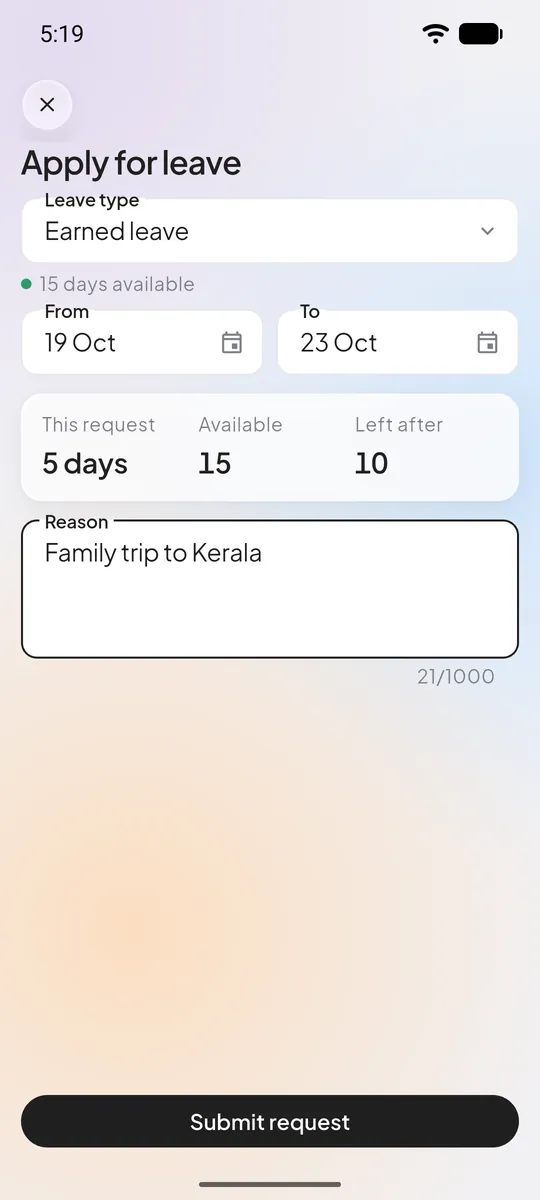
Apply for leave 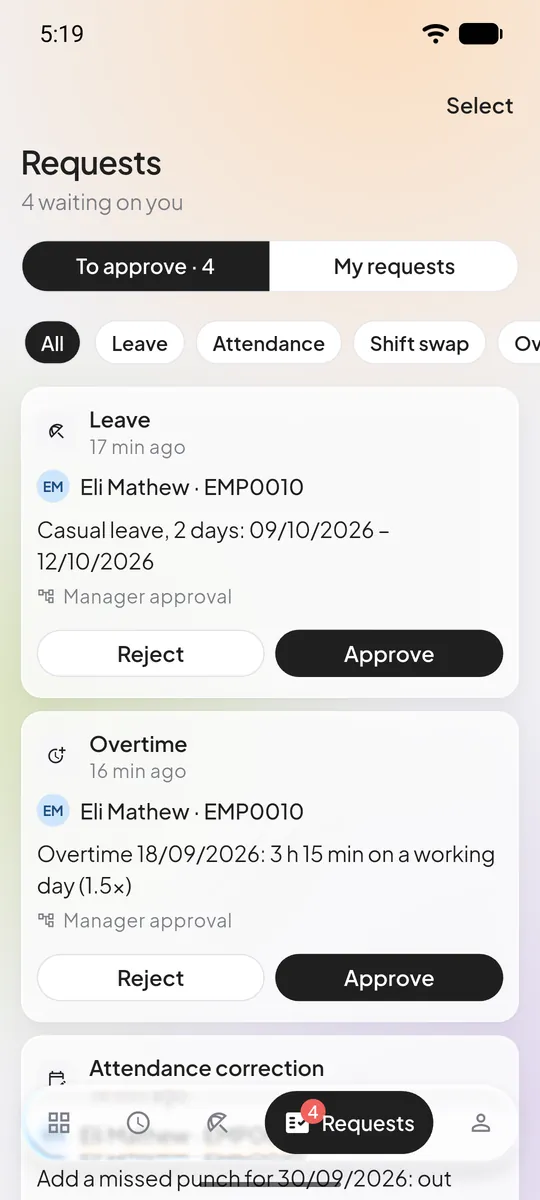
Approve requests 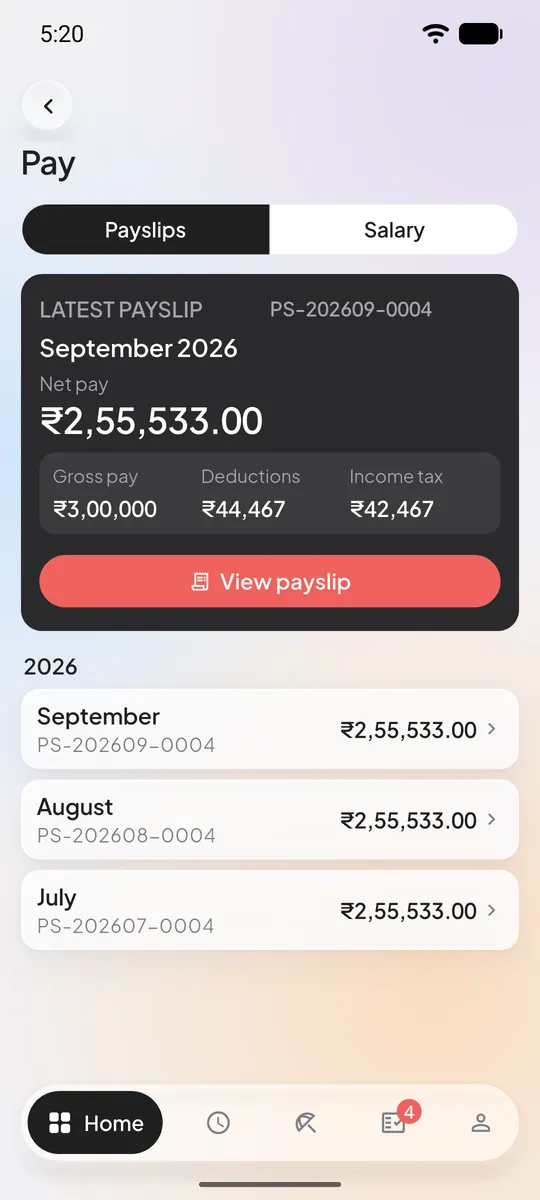
Payslips
Records you can stand behind
HR holds the most personal data in a company: salaries, bank accounts, identity numbers. This is how it is kept.
- A workspace of your own
- Every record belongs to one company, and access is checked on the server for every request.
- Roles for real HR teams
- Eight ready-made roles, from HR admin and payroll admin to manager, recruiter, auditor and employee. Add your own.
- Sensitive details stay sealed
- Bank accounts, PAN, Aadhaar and UAN are encrypted and shown masked. Every full view is logged.
- History is never rewritten
- Punches are only ever added, job and salary changes carry effective dates, and locked payslips can’t be edited.
- An audit log that answers questions
- Who changed what and when, including each download of a payroll file.
- Sign-in you control
- Two-step verification, active sessions and login history for every account.
Anyone can delete their own account at any time. Read the privacy policy
How you get started
You can set it up yourself. If you would rather be shown around first, ask for a demo.
Create your workspace
Sign up with your work email. Your company gets its own workspace, separate from every other customer.
Set up your company
Add departments, locations, shifts and leave types, then import your employees from a spreadsheet.
Invite your team
Give each person a role. Employees get self-service on the web and in the app; managers get their approval inbox.
Questions, answered
Something else? Ask us
Who is Shubh HRM for?
Indian businesses that want people records, attendance, leave and payroll in one system. HR teams, managers and employees each get their own view, on the web and in the Android app.
Does it handle PF, ESI, professional tax and TDS?
Yes. Payroll works out PF, ESI, professional tax, labour welfare fund and TDS from rules stored with their effective dates. Starter rules for PF, ESI, TDS and several states' professional tax come as drafts: you review, adjust and approve them before your first run.
How do employees mark attendance?
From the web, from the Android app (with their location, if you ask for it), by scanning a QR code on a kiosk screen, or on a biometric device. HR can also import punches from a spreadsheet.
Is there a mobile app?
Yes, for Android, coming to Google Play soon. Employees and managers use it for attendance, leave, approvals, payslips, expense claims and the HR helpdesk. On an iPhone, the web app works in the browser.
Can I bring in my existing employee data?
Yes. Import employees and attendance from CSV or Excel files. If an import goes wrong you can undo it.
Is my data isolated from other customers?
Yes. Every record belongs to a workspace and access is checked on the server for every request. Staff access is audited.
Can I try it before paying?
Plans with a trial start free. You can upgrade, downgrade or cancel from Billing at any time.
Do invoices include GST?
Yes. Add your GSTIN in billing details and it appears on every new invoice.
Which payment methods do you accept?
Cards, UPI, net banking and wallets through Razorpay or Cashfree.
Give your team a good start.
Create your workspace in a minute, or ask us to show you around first.
- No card needed for trials
- Cancel any time
- Data stays in your workspace